


BRIO World - Railway
4.4113.00 Reviews
App Specs
- Version
- 5.4.7
- Updated On
- License
- $7.99
- Downloads
- 100,000+
- Developer
- Filimundus AB
- Categories
- Educational
- Platform
- Android, iOS
Screenshots
 Analysis by AppCompare
I found that the most useful way to judge BRIO World - Railway is not as a substitute for a physical train set, but as a small creative space that can be approached at different speeds. A child can simply watch a train move, while an adult can focus on laying out a route or helping turn a loose idea into a playable railway. That flexibility makes it easier to share than a game that expects everyone to follow the same pace or aim for the same score.
Readability and finding your way around
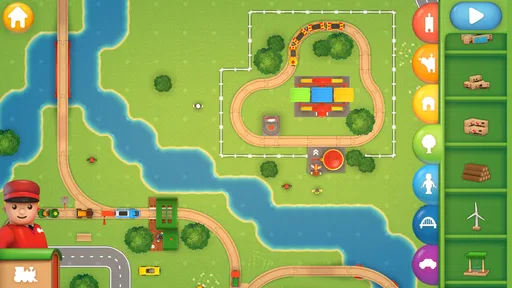
The colorful railway setting gives the play area a clear visual identity, and the drag-and-drop controls make the basic action easy to understand: choose a piece, place it, and see what the layout does. I like that the central activity is visible rather than hidden behind a long sequence of menus. For a child who is still learning how to use a touchscreen, an adult can demonstrate one placement and then let them try.
That said, intuitive controls do not automatically make every choice obvious to every player. Younger children may need help distinguishing a building action from a task or objective, especially when they are excited to get a train moving. I would introduce the game in short stages: first explore the screen, then place a few pieces, and only later try a challenge. That keeps the interface from feeling like a test and gives the player room to discover what each action does.
The educational value is strongest when it comes through play rather than formal instruction. A child can notice that a route needs to connect, think about where a train should go, and adjust a layout when the result is not what they expected. I would use it as a conversation starter—“Where could the track go next?”—rather than assume it teaches a fixed lesson on its own. That approach also works well for siblings or an adult and child taking turns suggesting the next piece.
Different hands, different ways to play
Building by dragging pieces asks for touchscreen control, so the game may be more comfortable for someone who can make deliberate taps and movements. If a player has difficulty with precise gestures, I would keep the first layouts simple and let a companion handle the placement while the player chooses where the route should go. Sharing the decisions can preserve the creative part without turning every move into a frustrating motor task.
The sound and animation contribute to the cheerful toy-like mood, but they are also worth considering for players who are sensitive to busy audiovisual feedback. I would try a brief session together before handing over the device for a long stretch, paying attention to whether the train sounds and motion feel enjoyable or distracting. The appeal of seeing a train travel is clear, yet a player who prefers quiet, still activities may be happier with a physical puzzle or a calmer drawing app.
When it fits into an ordinary day
This is a natural choice for a short shared activity at home: while dinner is finishing, one person can propose a destination and another can work out how to connect the track. It can also suit a rainy afternoon when a physical train set would take more room to lay out and pack away. I would not rely on it as a hands-free distraction, though. The building invites choices, and a younger player may enjoy it more when someone is nearby to help turn an idea into a route.
Worth Reading Before You Choose

EA SPORTS FC Mobile 26 Is a Bigger Football Game, but It Takes Time

Flipboard Shows What News Apps Must Do Beyond the Feed

Switching to Android Auto Means Rethinking Your Driving Routine

Google Calendar Makes a Crowded Week Easier to Manage

Ludo King Makes the Most of the Minutes Between Plans

Baby Panda World Brings Quick Play to Modern Phones, but Its Game Library Feels Busy
Compared with many educational games that center on quizzes, letters, or right-or-wrong answers, this one gives more space to construction and experimentation. Compared with a physical BRIO-style set, it is easier to rearrange without handling separate pieces, but it cannot offer the tactile satisfaction of connecting real wooden track. That is the key trade-off: choose the app for convenient digital play and choose a physical set when touch, open-ended floor play, or sharing tangible pieces matters more.
What to weigh before choosing it
The game is made by Filimundus AB and is classed as an educational game for everyone. It has a 4.4 average from around 1,800 ratings, with over 100,000 installs. Those figures suggest it has found an audience, but they cannot tell you whether its particular style will suit your household. I would focus instead on whether the player enjoys arranging routes, repeating a layout to improve it, and watching a train move through a space they designed.
There is a purchase decision to make, too: the game costs $7.99, and it also offers in-app purchases priced from $1.99 to $3.99 per item. I would check the purchase options with the adult who manages the device before a child starts exploring, so there are no surprises during play. Its age rating is Everyone, but that is not the same as saying every child will find every control or sound comfortable; a short tryout is still the most practical way to decide.
A practical way to try it
For a first session, I would set a modest goal instead of trying to build a huge network: make a compact route, send a train along it, then ask the player what they would change. This gives you a quick sense of whether the appeal is in construction, movement, or completing objectives. It also reveals whether the screen feels comfortable to use and whether the player wants an adult to guide the controls or prefers to experiment independently.
If the player gets stuck, I would simplify rather than take over. Remove the pressure to finish a challenge, focus on one connection, and let them decide where the next piece belongs. A useful trade-off is that adult guidance can make the game more accessible, but too much direction can turn an open-ended activity into a task. The best shared session leaves room for the child’s odd routes and imaginative stops, even when they are not the most efficient design.
The current version is 5.4.7, and the game was released on February 10, 2016. It requires iOS 7.1 or later, so checking the device’s operating-system compatibility before buying is sensible. The version detail matters less than the practical question for most families: can the device run it, and does the person who will play enjoy this kind of screen-based building?
Someone looking for a demanding railway simulator, a deep management game, or a broad collection of engineering lessons should probably choose something more specialized. This is better suited to relaxed construction, simple route planning, and shared imaginative play. If a player dislikes touch-based building or gets overwhelmed by moving visuals and sound, a physical train set, a quiet activity, or a game with clearer step-by-step prompts may be a better fit.
So, I recently took a trip down memory lane with the BRIO World - Railway app, and let me tell you, it was like being a kid again but with a digital twist. If you're into trains or just love a good sandbox game, you might want to hop on this train (pun intended). Here's my take on it.
All Aboard the BRIO Train
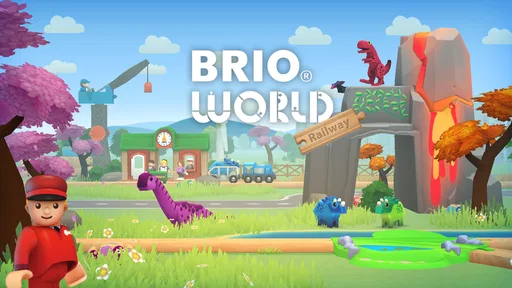
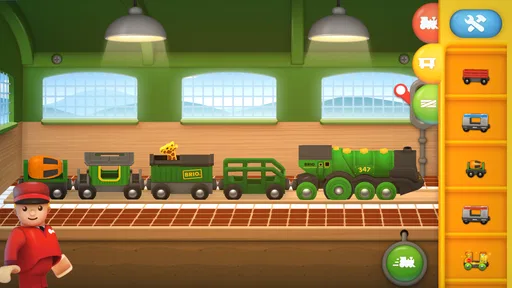
Right off the bat, what strikes you about BRIO World - Railway is its vibrant and colorful design. The app is a digital version of the classic BRIO wooden train sets we all loved as kids. It’s like they took the essence of those toys and brought them to life on your screen. The visuals are crisp, and the animations are smooth, making it a delightful experience for both kids and adults.
Building Your Railway Empire
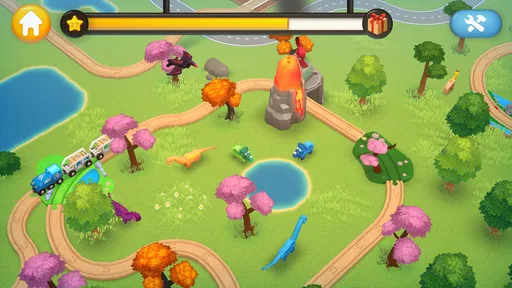
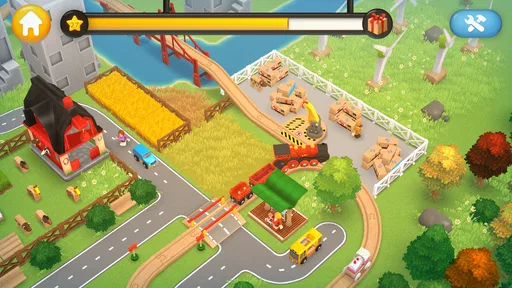
The core of the game is building and exploring your own railway world. You start with a few simple pieces, but as you progress, you unlock more tracks, trains, and accessories. Trust me, it’s super satisfying to watch your sprawling railway empire come to life. The app offers a sandbox mode where you can let your creativity run wild. You can connect tracks, build bridges, and add tunnels wherever you like. It’s all about experimenting and having fun.
Choo-Choo Challenges
But it’s not all about free play. The app also features various challenges and missions that keep things interesting. These tasks involve transporting passengers and cargo from one point to another, which adds a layer of strategy to the gameplay. It’s not just about building; it’s about planning the most efficient routes and completing objectives. This part of the game can be quite addictive as you try to beat your own scores and improve your railway network.
User-Friendly Interface
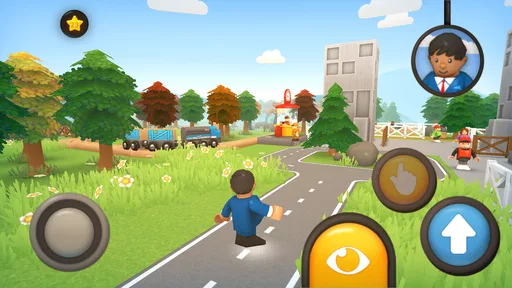
One thing I really appreciated was the app’s user-friendly interface. The controls are intuitive, with easy drag-and-drop mechanics that make building a breeze. Younger users will find it accessible, but it’s detailed enough to keep older players engaged. The developers did an excellent job of making the app both fun and educational.
Soundtrack and Effects
Let’s talk about the sound for a second. The app features a delightful soundtrack that perfectly complements the gameplay. The cheerful tunes and realistic train sounds add to the immersive experience. I found myself smiling every time a train chugged along or a horn blew. It’s those little details that make the game feel so alive.
Room for Improvement?
Now, while I thoroughly enjoyed the app, there are a couple of things that could be improved. Sometimes, the app can feel a bit limited in terms of track pieces and options, especially for hardcore train enthusiasts. I’d love to see more updates with additional content to keep the game fresh. Also, while the app is generally glitch-free, I did encounter a couple of minor bugs, but nothing that seriously impacted the gameplay.
Final Thoughts
Overall, BRIO World - Railway is a delightful app that brings the classic joy of building train sets to the digital age. Whether you’re a nostalgic adult or a curious kid, there’s plenty here to enjoy. It’s a wonderful way to unleash your creativity and dive into a world of endless possibilities. So, if you’re looking for a fun and engaging app, I’d say give it a go. You might just find yourself getting lost in the world of BRIO trains, and honestly, who wouldn’t want that?
Pros
- Intuitive controls for easy gameplay.
- Vibrant graphics enhance user experience.
- Variety of trains and tracks available.
- Suitable for all age groups.
- Encourages creativity and problem-solving.
Cons
- Limited free content without purchases.
- Occasional lag on older devices.
- In-app purchases can be pricey.
- No multiplayer or online mode.
- Some features require internet connection.
FAQs for BRIO World - Railway
What is BRIO World - Railway, and how does it work?
BRIO World - Railway is a digital adaptation of the classic BRIO wooden train sets. The app allows players to build their own railway networks, complete with trains, tracks, and various interactive elements. Users can customize their world, solve challenges, and explore different environments, offering both creative and problem-solving experiences.
Is BRIO World - Railway suitable for children, and what age group is it designed for?
Yes, BRIO World - Railway is designed with children in mind, offering a safe and engaging environment for play. It is suitable for ages 3 and up, making it ideal for preschoolers and young children. The app encourages creativity, spatial awareness, and basic problem-solving skills, all within a kid-friendly interface.
Does BRIO World - Railway require an internet connection to play?
BRIO World - Railway can be played offline, making it convenient for use during travel or in areas without internet access. However, certain features, such as updates or additional downloadable content, may require an internet connection. It's always a good idea to check for updates when online to enhance the gameplay experience.
Are there in-app purchases in BRIO World - Railway, and if so, what do they offer?
Yes, BRIO World - Railway includes in-app purchases. These typically offer additional content such as new train models, track pieces, and themed environments. While the base game provides plenty of content, these purchases can expand the gameplay experience, allowing for more creative building and exploration options.
How does BRIO World - Railway compare to the physical BRIO train sets?
BRIO World - Railway brings the classic experience of BRIO train sets into the digital realm, allowing for endless creativity without the limitations of physical space. While it lacks the tactile feel of wooden toys, the app compensates with interactive features, animations, and the ability to instantly redesign and expand railway systems, offering a different but equally engaging experience.


